

opencode. Login and sessions follow OpenCode’s own config (usually ~/.config/opencode/opencode.json).
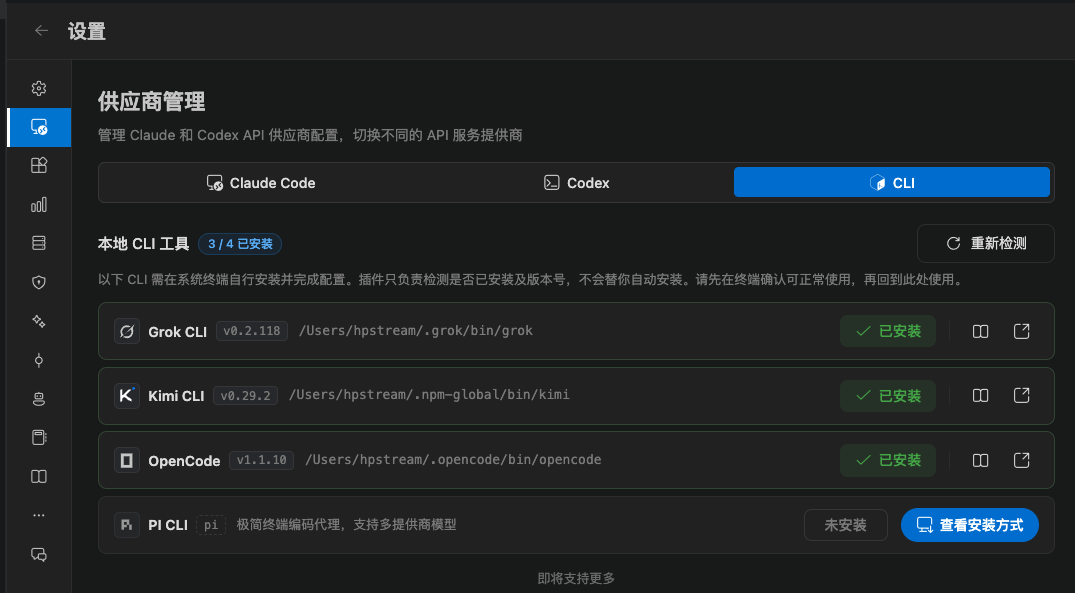
Open Settings → Provider management → CLI and confirm OpenCode shows Installed. The extension does not install it for you, and it does not change opencode.json.
Install
OPENCODE_BIN / OPENCODE_PATH / OPENCODE_CLI_PATH, or add ~/.opencode/bin to the system PATH.
Capability differences
Compared with Claude Code:- No plan mode
- MCP / Skills / some settings pages are centered on Claude Code
- Stop ends the
opencodechild process - Chat works, but there is no local history index yet. History does not list OpenCode sessions