

Prerequisites
- macOS 10.13+ / Windows 10+ (with WebView2) / a recent Linux distro
- Access to GitHub Releases
- Before you chat, you need at least one working AI runtime (Claude, Codex, Kimi, Grok, OpenCode, Pi, or DeepSeek Harness)
Download the installer
On the Releases page, download the package for your platform: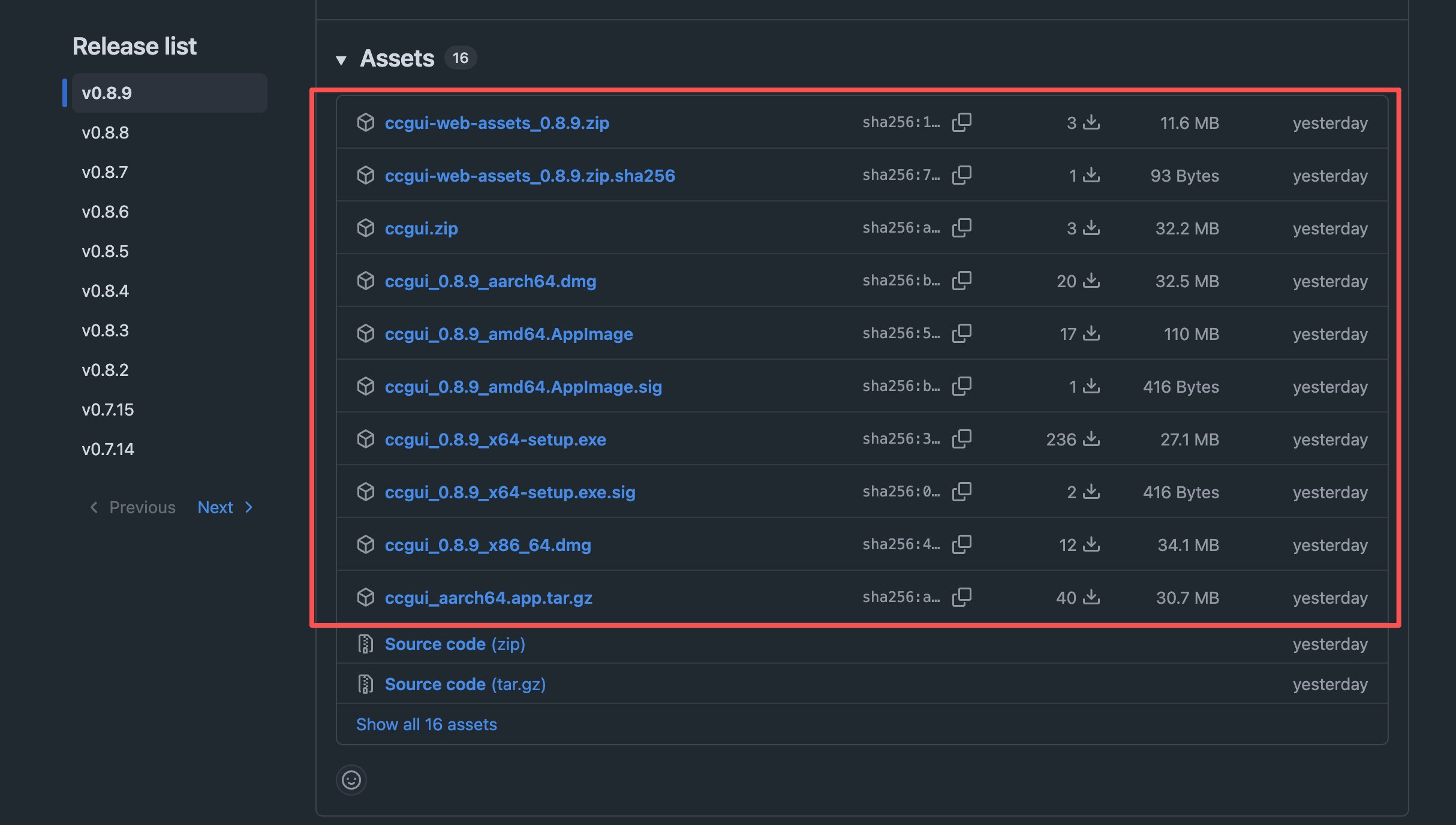
Install
- macOS
- Windows
- Linux
- Open the
.dmg - Drag ccgui into Applications
- Open it from Launchpad or Applications
Confirm the install
After you open the app you should see:- The home / workspace picker
- A way into Settings to configure providers
- A version number in Settings or About