> ## Documentation Index
> Fetch the complete documentation index at: https://docs.mossx.ai/llms.txt
> Use this file to discover all available pages before exploring further.
# Sessions, tabs, and history
> Manage new sessions, editor tabs, history, session templates, and message rollback.
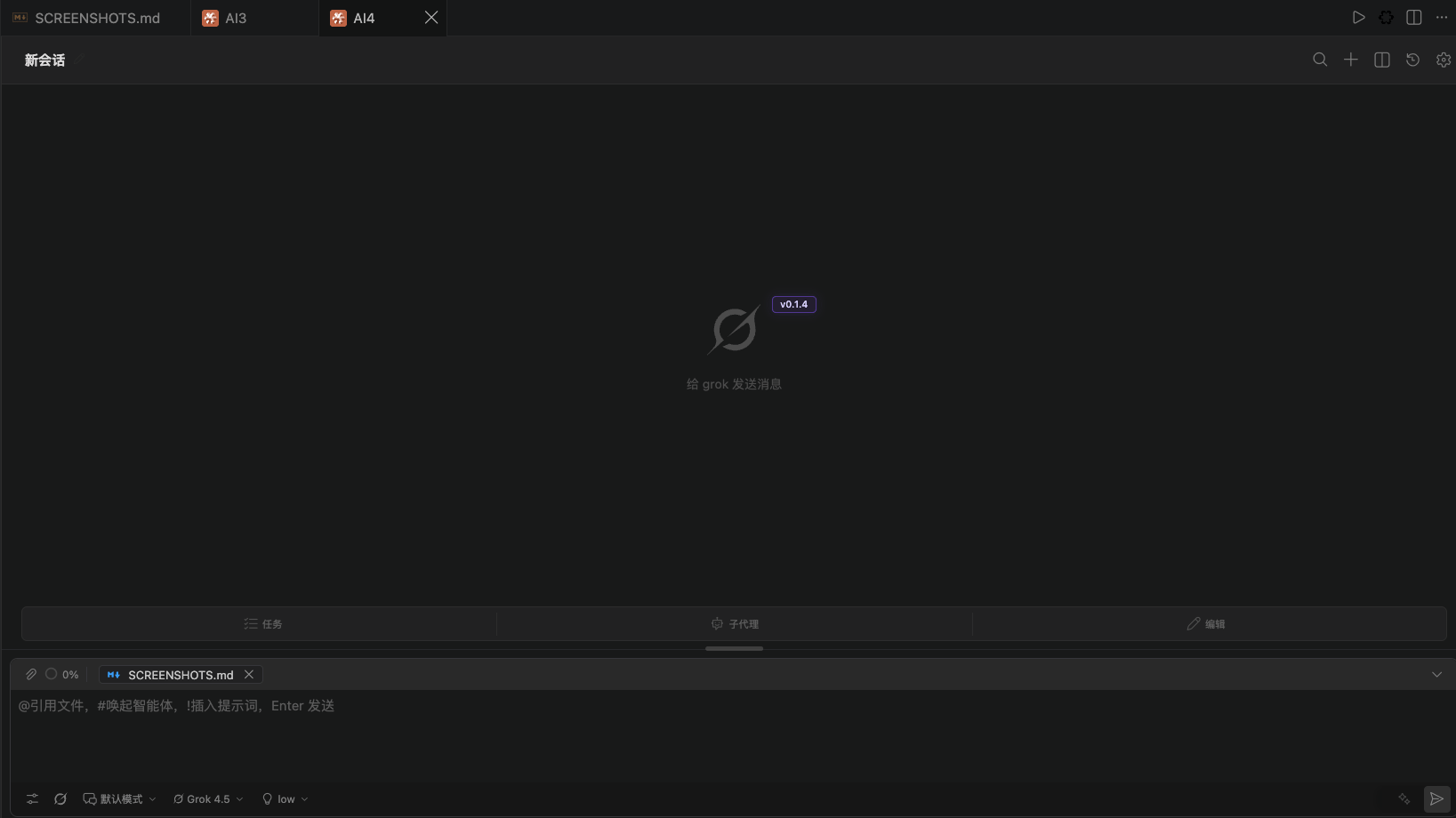
A session is one continuous conversation. CC GUI can keep one session in the sidebar and open more tabs in the editor at the same time.
## Start a new session
Use any of these:
* Click **New session** at the top of the chat
* Click **+** in the view title bar
* Run **CC GUI: New Chat Tab**
* Send `/clear`, `/new`, or `/reset` in the input box
If the current session already has messages, you get a confirmation by default. If a reply is still generating, the confirmation warns that a new session will interrupt the current chat.
To skip the confirmation each time, turn off **Confirm before starting a new session** in **Settings → General → Behavior**.
## Editor tabs
**CC GUI: New Chat Tab** stacks a new tab in the current editor group. It does not split left and right. Each tab is an independent session with its own messages, provider, and mode.
Run **CC GUI: Rename Active Chat Tab** to change the current tab title.
 ## History
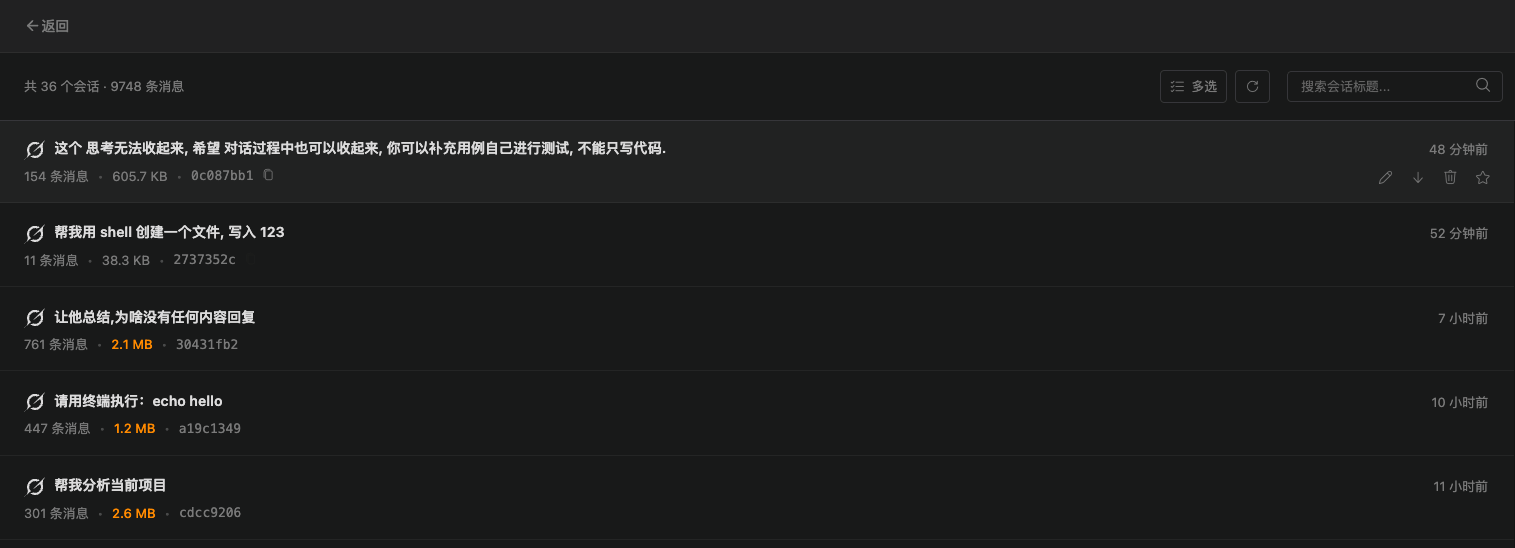
Click **History** at the top to open the History view.
You can:
* Search by title, or run a deep search
* Star / unstar
* Rename inline
* Export to a file
* Delete one item or delete in bulk
* Copy a session ID when you report a problem
Click a history item to load it back into the Chat view. Unsupported sessions show a reason instead of a blank error.
## History
Click **History** at the top to open the History view.
You can:
* Search by title, or run a deep search
* Star / unstar
* Rename inline
* Export to a file
* Delete one item or delete in bulk
* Copy a session ID when you report a problem
Click a history item to load it back into the Chat view. Unsupported sessions show a reason instead of a blank error.
 ### Auto titles
If you turn on **Settings → Other → Auto-generate session titles**, a new session gets a short Haiku title when the first reply finishes. If you turn it off, the first message stays as the title.
Grok sessions keep your original wording first, so an English auto title does not overwrite it.
## Session templates
The Command Palette has two template commands:
| Command | What it does |
| ---------------------------------------- | -------------------------------------- |
| **CC GUI: Save Session as Template** | Save the current session as a template |
| **CC GUI: Create Session from Template** | Start a new session from a template |
Use this for kickoff prompts, review checklists, or release checklists you reuse. A template stores session setup, not the full chat transcript.
## Roll back to a message
When a long chat goes off track, roll back from an assistant message:
1. Click the rollback control on that message
2. Review the messages and files that will be affected
3. Confirm whether to restore files at the same time
Rollback drops everything after that message and cannot be undone. If you only want to change the prompt and keep the files as they are, do not select restore files.
Rollback cannot be undone. Check the "will restore / will lose" list before you confirm.
## History differences by runtime
| Runtime | History |
| -------------------- | ----------------------------------------------------------------------------------------- |
| Claude Code | Full sessions, including tool calls and attachments |
| Codex | Full sessions. A user abort is not shown as an error bubble |
| Grok | Isolated by runtime, with a local history index |
| Kimi / OpenCode / Pi | Chat works, but there is no local history index yet. History does not list these sessions |
If an old message still flashes in a new session, upgrade to 0.1.3 or later. That version fixed leftovers from delayed writes.
### Auto titles
If you turn on **Settings → Other → Auto-generate session titles**, a new session gets a short Haiku title when the first reply finishes. If you turn it off, the first message stays as the title.
Grok sessions keep your original wording first, so an English auto title does not overwrite it.
## Session templates
The Command Palette has two template commands:
| Command | What it does |
| ---------------------------------------- | -------------------------------------- |
| **CC GUI: Save Session as Template** | Save the current session as a template |
| **CC GUI: Create Session from Template** | Start a new session from a template |
Use this for kickoff prompts, review checklists, or release checklists you reuse. A template stores session setup, not the full chat transcript.
## Roll back to a message
When a long chat goes off track, roll back from an assistant message:
1. Click the rollback control on that message
2. Review the messages and files that will be affected
3. Confirm whether to restore files at the same time
Rollback drops everything after that message and cannot be undone. If you only want to change the prompt and keep the files as they are, do not select restore files.
Rollback cannot be undone. Check the "will restore / will lose" list before you confirm.
## History differences by runtime
| Runtime | History |
| -------------------- | ----------------------------------------------------------------------------------------- |
| Claude Code | Full sessions, including tool calls and attachments |
| Codex | Full sessions. A user abort is not shown as an error bubble |
| Grok | Isolated by runtime, with a local history index |
| Kimi / OpenCode / Pi | Chat works, but there is no local history index yet. History does not list these sessions |
If an old message still flashes in a new session, upgrade to 0.1.3 or later. That version fixed leftovers from delayed writes.